How to Filter LinkedIn Jobs by Salary (and Read What It Shows)
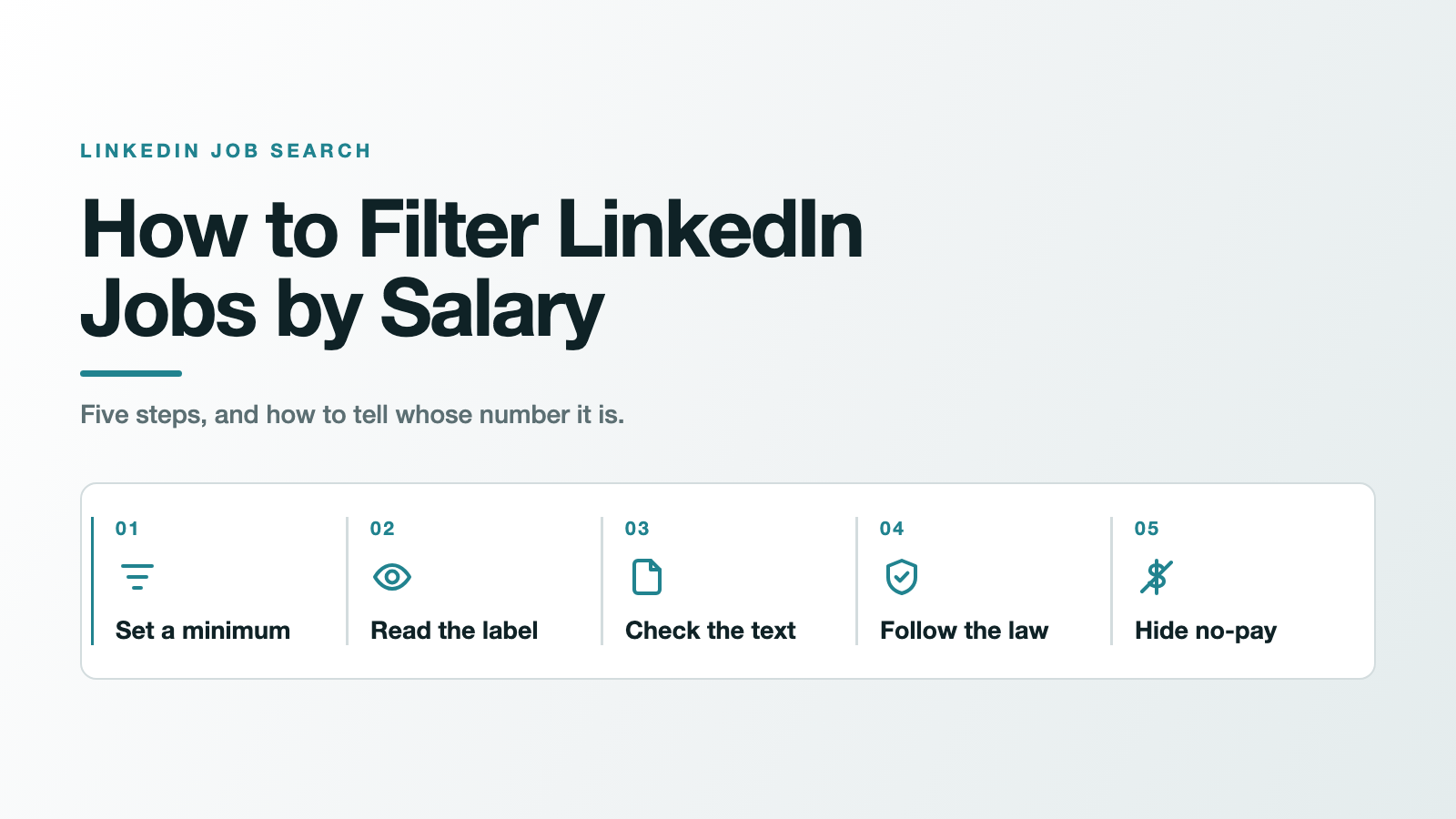
TL;DR: To filter LinkedIn jobs by salary in classic job search, open the Salary filter in the row next to Date posted and pick your minimum. LinkedIn is gradually retiring classic search starting in September 2026, and the filters its help page lists for the new AI-powered search don't include Salary, so there you type your pay floor into the search description instead. Either way, open each result and read the label on the pay figure. On LinkedIn, a pay number can be the employer's own figure, a figure LinkedIn pulled out of the job description, or, in the design LinkedIn announced in 2018, a LinkedIn estimate. LinkedIn's help page on job filters doesn't explain which of those the Salary filter compares. In places with a pay-transparency law, a covered posting generally has to show a good-faith pay range (subject to that law's scope and exceptions), and several of those laws reach remote roles.
LinkedIn's Salary filter is a minimum-pay setting in classic job search: you choose a figure from the Salary menu and apply it to your results. How LinkedIn decides which listings clear that figure isn't documented. Our working assumption, and it is only an assumption, is that it compares your minimum against whatever pay data LinkedIn holds for each listing. The clicks take ten seconds, and in September 2026 they depend on which version of search your account has. The useful part doesn't change: knowing which number you might be filtering on, and where the law requires an employer to put one on the listing.
How to filter LinkedIn jobs by salary, step by step
Step 1. Set your minimum (two ways, depending on your search)
In classic job search. Go to the Jobs tab, type a job title, add a location, and search. A row of filter buttons appears above the results. In LinkedIn's own Finding a Job on LinkedIn course, the instructor walks along that row: "I can go over to date posted to see how recently the job was posted. Salary, if this is something that's important to me." Click Salary, choose the lowest figure you'd accept, and show results. All filters, at the top, opens the complete set if you want to combine salary with experience level, workplace type and the rest. Our full guide to filtering LinkedIn jobs covers those other filters one by one.
In AI-powered job search. LinkedIn's help page for the new search says: "We’re gradually retiring classic job search starting in September." It lists the filters that remain on the results page: Date posted, Company, Experience level, Employment type, Remote, LinkedIn Apply, In my network and Under 10 applicants. Salary isn't on that list, and it isn't among the filters LinkedIn says it's working to bring back (Verified job, the Most recent / Most relevant sort, and Hybrid / On-site). What the page does offer: "you can also type details you might normally use a filter for directly into your search." So put your floor in the description, for example product manager jobs in Chicago paying at least $130,000 (our example, not LinkedIn's). How strictly the new search honours a typed pay figure isn't documented, which makes Step 2 even more important.
If you can still click a Salary button, use it. If your search asks you to describe the role you want in your own words, you're on the AI-powered version.
Set the minimum at your real floor, not at a hopeful number. You're about to check every result by hand, so there's no point excluding roles you'd take.
Step 2. Open each result and read the pay label
This is the step that makes the filter worth using. Click into a listing, find the pay figure, and look at the label beside it. It tells you who produced the number. The next section's table lays out the three possibilities, and you'll probably want to weigh them differently.
Step 3. Check the description anyway
Some employers write pay into the body of the post and nowhere else. LinkedIn's best-practice page for hirers asks them to "Specify the currency", to "Write out full numbers. For example: $110,000 instead of $110k." and to state the pay period. Our reading, not something LinkedIn states: a description that says "$110k" may never be turned into a labelled pay figure at all, even though the number is right there in the text. Search the description for a currency sign before you rule a listing out.
Step 4. Search where the law puts a number on the listing
Pay-transparency laws are the rules that require employers to post a pay range. If you can work in a covered state, or you're searching remote roles that a covered state's residents can fill, more of the listings in front of you fall under a posting requirement, subject to each law's size threshold and exceptions. The full list, with dates and employer-size thresholds, is in the section on where salary is legally required below.
Step 5. Hide the cards that show no figure at all
Both routes in Step 1 are built around a minimum figure. If what you want is narrower, only the listings that print a number on the card, a browser extension can do that on your screen (more on that, and its limits, further down). Once the search looks right, you can turn it into an alert; here's how to keep LinkedIn job alerts relevant.
What does LinkedIn's Salary filter actually check?
Start with what LinkedIn publishes. Its help page Filter and sort job search results lists eight filters: location, date posted, Easy Apply, company, experience level, employment type, under 10 applicants, and in your network. Salary isn't one of the eight, and the AI-powered search page leaves it out too. The filter exists in classic search (the 2025 Learning course above shows it), but neither page describes how it decides what clears your minimum.
What LinkedIn does document is where the pay figures on listings come from. There are three sources, each with its own label:
| Label on the listing | Who produced the number | LinkedIn's documentation | What it tells you |
|---|---|---|---|
| Employer-provided | The employer, typing pay into the job post's pay field | Compensation information on a job post | The employer's own figure |
| Pay found in job post / "(from job description)" | LinkedIn, extracting it from the employer's description text. US only | a1395225, Pay found in job posts | The employer's words, read by a machine |
| LinkedIn estimate (the 2018 design) | LinkedIn, inferring a range from salaries members submitted | LinkedIn's 2018 announcement | A market guess, not an offer |
The first two come straight from LinkedIn's help centre: pay entered "directly in the job post flow" is "indicated as Employer-provided", and in the US, pay written into the description "will be extracted and indicated as Pay found in job post." The extracted version is labelled "(from job description)", and LinkedIn says it "will display annual salary ranges from the job description in the US to start."
The third is older. When LinkedIn launched Salary Insights in February 2018, its talent blog said that "If the employer doesn't provide a salary, we'll show an estimated salary which we infer based on salaries at similar companies submitted by LinkedIn members who have the same title in the same city." It added that the estimate "is clearly marked as an estimate from LinkedIn" and only appears when LinkedIn has enough matching data. LinkedIn's current help pages don't say whether every listing still works this way, so treat the label on the listing in front of you as the authority.
LinkedIn's own salary pages carry a deprecation notice
LinkedIn's help centre tags exactly three articles as Salary Insights, and all three now open with the same line: "As part of these updates, this feature is being deprecated and may no longer be available." That includes the page explaining the "Pay found in job post" label. Meanwhile LinkedIn's Recruiter help, updated more recently, still tells employers they "can input yearly, monthly, or hourly pay" and says "Admins can make salary a required field for manually posted jobs in the U.S."
Our interpretation, not anything LinkedIn has announced: the way pay appears on listings is in flux, and the labels you see may change.
So which listings pass the filter?
LinkedIn hasn't published the matching rule. It might compare your minimum only against figures it displays, or it might also use pay data it doesn't show you; its help pages don't say. If you get results with no visible pay, that's one possible reason, and the label check is the way to find out what you're looking at.
This goes beyond LinkedIn. Economists at the Federal Reserve Bank of New York note that one explanation researchers have offered for the rise in advertised pay is "the inclusion of an estimated salary range by some major job listing platforms". An estimated range on a listing looks like pay. It isn't the employer's commitment.
Where is salary legally required in a job posting?
Where a pay-transparency law applies, the employer is the one who has to supply the number. The New York Fed's analysis of Lightcast job postings (October 2025) found the share of US online postings with pay information rose "from an average of 15 percent before January 2018 to approximately 53 percent since January 2024." In the four early jurisdictions it studied (Colorado, California, Washington and New York City), the share of postings with pay jumped by an average of 20 percentage points in the month the rule took effect. Compliance still isn't complete: "as of January 2025, approximately 24 percent of ads do not comply with pay transparency requirements." Indeed reported a similar picture on its own site: "As of May 2025, 59% of job postings in the U.S. included salary information."
These laws generally ask employers to post a "good faith" estimate of the range they expect to pay. Here are the US jurisdictions that require pay in job postings, as of September 2026, from Trusaic's pay transparency tracker (last updated September 4, 2026) and the New York State Department of Labor:
| Jurisdiction | In force since | Applies to employers with | Reaches remote or out-of-state roles? |
|---|---|---|---|
| Colorado | Jan 1, 2021 | at least 1 employee in Colorado | Yes: jobs that can be done remotely from the state |
| New York City | Nov 1, 2022 | 4 or more employees, 1 in NYC | Roles that can or will be performed at least partly in NYC |
| California | Jan 1, 2023 | 15 or more employees | Yes: if the role could be filled in California, in person or remotely |
| Washington | Jan 1, 2023 | 15 or more employees | Yes: jobs that could be filled by a Washington-based employee, including remote |
| New York State | Sept 17, 2023 | 4 or more employees | Yes: performed partly in NY, or reporting to a supervisor or office in NY |
| Hawaii | Jan 1, 2024 | 50 or more employees | Jobs that could be performed in Hawaii |
| Washington, D.C. | June 30, 2024 | at least 1 employee in D.C. | Not specified in the tracker |
| Maryland | Oct 1, 2024 | any employer doing business in Maryland | Roles performed at least partly in Maryland |
| Illinois | Jan 1, 2025 | 15 or more employees | Yes: performed partly in Illinois, or reporting to a supervisor or office there |
| Minnesota | Jan 1, 2025 | 30 or more employees in Minnesota | Not specified in the tracker |
| New Jersey | June 1, 2025 | 10 or more employees over 20 calendar weeks | Not specified in the tracker |
| Vermont | July 1, 2025 | 5 or more employees, 1 in Vermont | Yes: remote roles that primarily support Vermont worksites |
| Cleveland, Ohio | Oct 27, 2025 | 15 or more employees in Cleveland | Work performed in Cleveland |
| Massachusetts | Oct 29, 2025 | 25 or more employees in Massachusetts | Not specified in the tracker |
| Virginia | July 1, 2026 | all employers | The law doesn't say whether it's limited to Virginia-based roles |
| Maine | July 29, 2026 | 10 or more employees | Not specified in the tracker |
Source note: every row above summarises Trusaic's tracker as last updated September 4, 2026; the New York State row is also checked against the state Department of Labor's own page. A tracker is a summary, not the statute.
Coming next: Connecticut's posting requirement starts October 1, 2026, Columbus, Ohio follows on January 1, 2027, and Delaware on September 26, 2027. Nevada and Rhode Island also have pay laws, but they apply on request or after an interview, so they don't put a number on the listing.
This is a map for job hunting, not legal advice. Each law has its own thresholds, exemptions and definitions, and the official text is what counts.
Do remote jobs have to show a salary?
In several states, yes, and for a remote job seeker this is the most useful column in the table. California's rule covers roles that could be filled there "either in person or remotely", Colorado's covers "jobs that can be done remotely from the state", and Washington's applies "including remote jobs".
The practical move: a remote listing open to candidates nationwide is open to residents of those states, so if the employer is above the size threshold and no exemption applies, the posting likely falls under at least one of these rules. Coverage is still fact-specific, and we can't judge any single listing for you. If you're finding genuinely remote jobs on LinkedIn, treat a nationwide remote role with no pay anywhere in the post as one to question before you spend time on it.
Outside the US
Ontario has required pay in publicly advertised postings since January 1, 2026, for employers with 25 or more employees. The Ontario Ministry of Labour caps a posted range: "the range is limited to an amount equivalent to $50,000 per year or less." There's an exemption that matters for senior searches: the rule doesn't apply when "expected compensation is equivalent to more than $200,000 per year". If your floor is above $200,000, you're searching exactly the band where Ontario employers can leave the number off.
The EU's Pay Transparency Directive gives applicants the right to "the initial pay or its range", supplied "such as in a published job vacancy notice, prior to the job interview or otherwise." Member states had until 7 June 2026 to write it into national law. Notice the "prior to the job interview" option. An EU listing with no figure on it isn't necessarily breaking any rule.
A wide range still counts as a range
Trusaic's tracker traces the good-faith standard to Colorado's early years, "where some employers posted excessively wide ranges with little practical meaning." Ontario is the only place in this guide with a hard width limit ($50,000). Elsewhere, a listing can clear your Salary filter on the strength of a range so wide it tells you little, so check whether the bottom of the range, not the top, clears your floor. If a post has no pay, no clear date and keeps reappearing, that's the territory of how to spot ghost jobs on LinkedIn.
How to hide LinkedIn jobs that don't show a salary
If the listings with no number are the ones wasting your time, you can hide them on your own screen with JobSieve, the free, open-source Chrome extension we make. Its Hide No-Salary toggle checks the text of each job card in your LinkedIn search results for something that looks like pay (a currency symbol or currency code followed by a number, or a number with a pay-period suffix such as 60K/yr) and hides the cards that don't have one. The source code is public under an MIT licence, so you can read exactly how it decides.
Know its limits. It reads the card, not the full description, so a listing that mentions pay only in the body text gets hidden. It doesn't know who produced the figure, so an estimate on a card would count the same as an employer's number. It shortens the list; it doesn't replace Step 2. The same panel has a keyword blacklist for deal-breakers like "commission-only" or "unpaid" and a highlight list for roles that match your skills, and switching a filter off brings the hidden cards back. No account, and it collects no data. If you'd like to vet it (or any extension) first, here's how to check whether a job search extension is safe. When you're ready, install JobSieve free from the Chrome Web Store.
Found a role that clears your floor and actually says so? The next job is the application. JobMason can tailor your resume and cover letter to that posting, along with a hiring-manager email and answers to the application questions. JobSieve finds the right roles; JobMason tailors your application to each one. If you want the salary check to become a habit rather than a chore, fold it into a repeatable LinkedIn job search routine.
FAQ
Did LinkedIn remove the salary filter?
It depends on which search you have. The Salary filter is part of classic job search, which LinkedIn says it is gradually retiring starting in September 2026. The filters LinkedIn's help page listed for the new AI-powered search in September 2026 don't include Salary, though you can type pay requirements into the search description.
Does LinkedIn's salary filter show jobs without a salary?
Neither of LinkedIn's help pages on job filters describes the Salary filter, so there's no official answer. A pay figure on a listing can be employer-provided, extracted from the description (US only), or, in LinkedIn's 2018 design, a LinkedIn estimate. If a result shows no figure, search the description for a currency sign before deciding.
What does "Pay found in job post" mean on LinkedIn?
It means LinkedIn found the pay in the employer's description text and pulled it out, rather than the employer entering it in the job's pay field. LinkedIn says this extraction is US only and labels it "(from job description)". All three of LinkedIn's Salary Insights help articles now say the feature "is being deprecated and may no longer be available".
Is LinkedIn's estimated salary accurate?
It's an estimate, not an offer. When LinkedIn introduced it in 2018, it said the range was inferred from salaries members submitted for the same title in the same city at similar companies, shown only when there was enough matching data. Treat it as a market signal and look for an employer-provided figure before you anchor on it.
Which states require salary ranges in job postings?
As of September 2026: Colorado, California, Washington, New York, Hawaii, Maryland, Illinois, Minnesota, New Jersey, Vermont, Massachusetts, Virginia and Maine, plus Washington, D.C., New York City and Cleveland. Connecticut starts on October 1, 2026. Thresholds and exemptions vary by law.
Do remote jobs have to list a salary?
In several states, yes. California, Colorado and Washington cover remote roles their residents could fill, and New York and Illinois cover roles reporting to a supervisor or office in the state, if the employer meets the size threshold.
Can I hide LinkedIn jobs that don't list a salary?
Yes, on your own screen, with a browser extension. JobSieve, a free open-source Chrome extension, has a Hide No-Salary toggle that hides job cards showing no pay figure. It reads the card only, so listings with pay buried in the description are hidden too.
That's the whole method for how to filter LinkedIn jobs by salary without being fooled by the number: set your minimum, read the label on every result, and let the law tell you where a real figure ought to be.
Frequently asked questions
- Did LinkedIn remove the salary filter?
- It depends on which search you have. The Salary filter is part of classic job search, which LinkedIn says it is gradually retiring starting in September 2026. The filters LinkedIn's help page listed for the new AI-powered search in September 2026 don't include Salary, though you can type pay requirements into the search description.
- Does LinkedIn's salary filter show jobs without a salary?
- Neither of LinkedIn's help pages on job filters describes the Salary filter, so there's no official answer. A pay figure on a listing can be employer-provided, extracted from the description (US only), or, in LinkedIn's 2018 design, a LinkedIn estimate. If a result shows no figure, search the description for a currency sign before deciding.
- What does "Pay found in job post" mean on LinkedIn?
- It means LinkedIn found the pay in the employer's description text and pulled it out, rather than the employer entering it in the job's pay field. LinkedIn says this extraction is US only and labels it "(from job description)". All three of LinkedIn's Salary Insights help articles now say the feature "is being deprecated and may no longer be available".
- Is LinkedIn's estimated salary accurate?
- It's an estimate, not an offer. When LinkedIn introduced it in 2018, it said the range was inferred from salaries members submitted for the same title in the same city at similar companies, shown only when there was enough matching data. Treat it as a market signal and look for an employer-provided figure before you anchor on it.
- Which states require salary ranges in job postings?
- As of September 2026: Colorado, California, Washington, New York, Hawaii, Maryland, Illinois, Minnesota, New Jersey, Vermont, Massachusetts, Virginia and Maine, plus Washington, D.C., New York City and Cleveland. Connecticut starts on October 1, 2026. Thresholds and exemptions vary by law.
- Do remote jobs have to list a salary?
- In several states, yes. California, Colorado and Washington cover remote roles their residents could fill, and New York and Illinois cover roles reporting to a supervisor or office in the state, if the employer meets the size threshold.
- Can I hide LinkedIn jobs that don't list a salary?
- Yes, on your own screen, with a browser extension. JobSieve, a free open-source Chrome extension, has a Hide No-Salary toggle that hides job cards showing no pay figure. It reads the card only, so listings with pay buried in the description are hidden too.
Sources
- LinkedIn is gradually retiring classic job search starting in September 2026; the filters listed for AI-powered search do not include Salary, and details can be typed into the search instead.
- LinkedIn Learning (2025) shows a Salary filter next to Date posted in classic job search.
- LinkedIn's filter help page lists eight job search filters; Salary is not among them.
- Pay entered in the job post flow is labelled Employer-provided; in the US, pay in the description is extracted and labelled Pay found in job post.
- Extracted salaries are labelled (from job description), starting with annual ranges in the US.
- LinkedIn asks hirers to specify currency, write full numbers rather than 110k, and state the pay period so salaries can be extracted.
- All three articles LinkedIn tags Salary Insights say the feature is being deprecated and may no longer be available.
- LinkedIn Recruiter lets employers enter yearly, monthly or hourly pay, and admins can make salary required for manually posted US jobs.
- In 2018 LinkedIn introduced salary insights on job listings, showing an estimated range when an employer provides no salary.
- LinkedIn's 2018 estimate was inferred from member-submitted salaries for the same title in the same city at similar companies, marked as an estimate.
- US online postings with pay rose from about 15 percent before 2018 to about 53 percent since January 2024; about 24 percent of covered ads did not comply as of January 2025.
- As of May 2025, 59 percent of US job postings on Indeed included salary information.
- Jurisdictions requiring pay in job postings, with employer thresholds, effective dates and remote coverage, as of September 4, 2026.
- New York Labor Law 194-b requires businesses with four or more employees to list compensation ranges for advertised jobs.
- Since January 1, 2026, Ontario postings by employers with 25 or more employees must show expected pay, with ranges capped at 50,000 dollars and roles above 200,000 dollars exempt.
- The EU Pay Transparency Directive gives applicants a right to initial pay information, in the vacancy notice or before the interview, with transposition due by 7 June 2026.
- JobSieve's Hide No-Salary toggle hides job cards whose text shows no pay-looking figure; it reads the card only.